
Bento.me vs Linktree: Can Linktree Really Replace Bento?
For a while, the link-in-bio world had a very simple formula: Add a profile picture. Put all your links on one page. Make the buttons big and shiny. Pray that people click them.
Then Bento.me showed up and said, “But what if link-in-bio pages didn’t have to look like a tree of links?”
Instead of stacking buttons like a digital sandwich, Bento turned content into a neat little grid: portfolio cards, videos, social links, images, and text blocks.
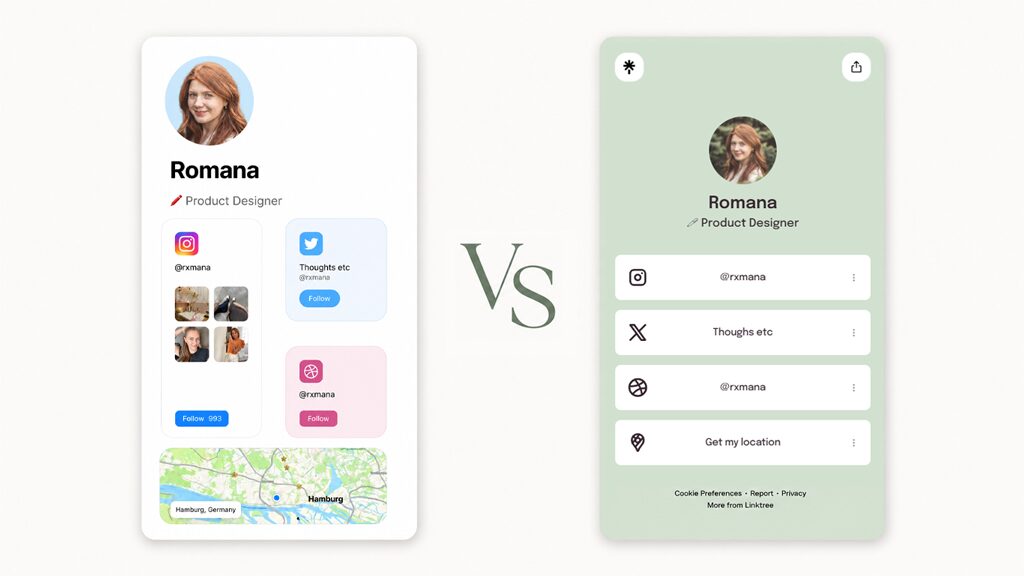
It was stylish. It was visual. It felt like a tiny personal website for people who did not want to waste time building a real website. And then Bento announced its shutdown.
So now the question is not really, “Bento.me vs Linktree?” The real question is: Can Linktree replace what people loved about Bento, or is it just the most convenient place to land after the shutdown?
Let’s get into it.
What Bento.me got right
Bento understood something most link-in-bio tools ignored for years: People are not just collections of links.
A designer is not simply a link to their portfolio or Instagram. A musician is not simply a link to their Spotify. An entrepreneur is not simply a website.
People want variety, hierarchy, and personality.
Bento let users present themselves through rich visual blocks instead of plain button stacks. It was especially good for creators, designers, freelancers, entrepreneurs, and anyone whose work needed to be seen, not just linked.
That made Bento feel closer to a mini-portfolio than a classic link hub. Its whole appeal was: “Here is everything I am doing, arranged beautifully.”
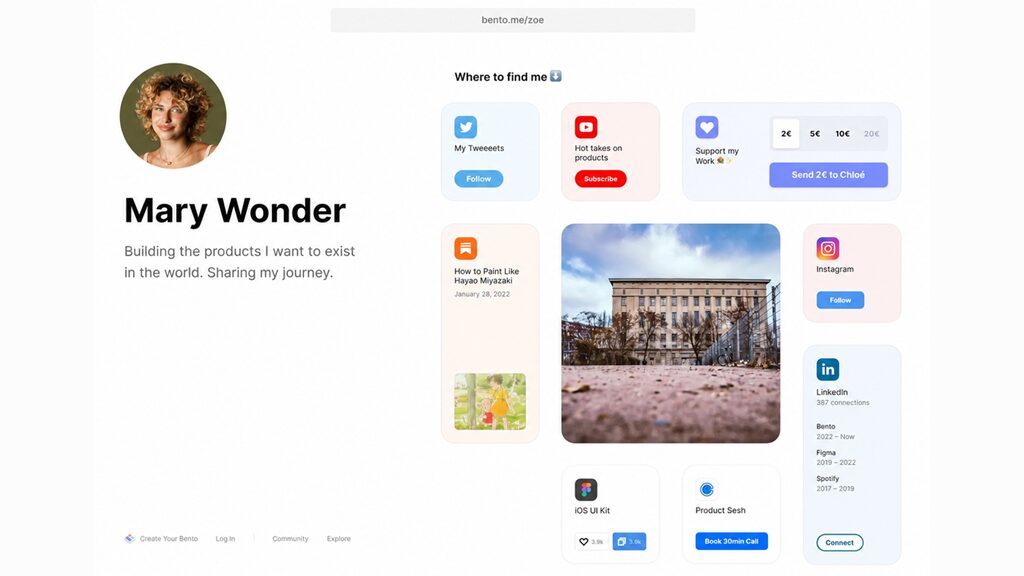
But unfortunately, Bento was not the most mature business platform. Compared with Linktree, it was lighter on analytics, monetization, integrations, and commercial tools. It was great-looking, but it was not trying to help you run your business.
What Linktree gets right
Linktree is not the most romantic answer, but it is the practical one.
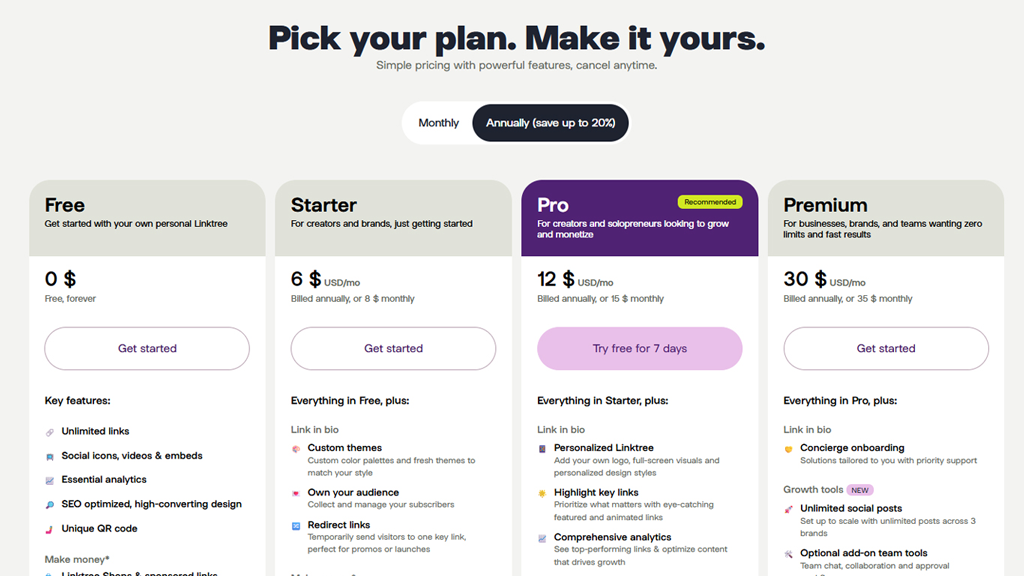
Unlike Bento.me, which was free, Linktree has plans ranging from Free to Premium, with the free plan including unlimited links, social icons, videos, and analytics.
Paid plans add monetization, more customization, deeper analytics, audience tools, redirects, and additional business features.
It also has a large marketplace of apps and integrations: Spotify, YouTube, TikTok, Shopify, Mailchimp, Google Sheets, Calendly, Typeform, PDFs, and more. And that is Linktree’s real strength.
But let’s compare both tools more thoroughly.
Design: Bento had taste, Linktree has options
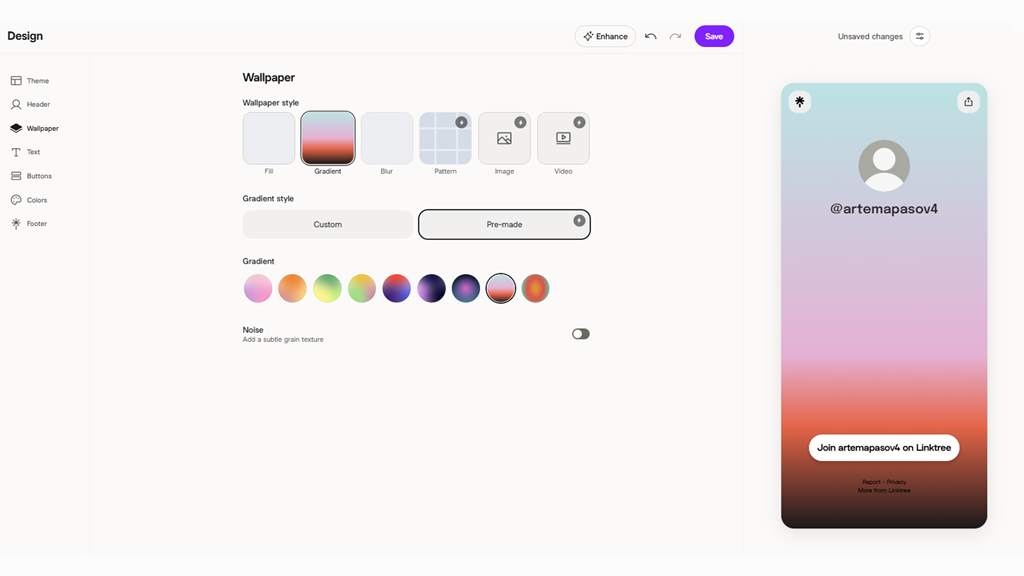
Yes, Linktree has customization. You can edit themes, colors, backgrounds, button styles, layouts, and more depending on your plan. It has come a long way from the early “stack of buttons” era.
But Bento had something else: layout personality.
Bento’s grid made your page feel composed. You could make one item big, another small, another visual, another informational. Your page could guide attention before asking for a click.
That is a subtle but important difference. Linktree can display plenty of things, but the experience still tends to orbit around links and actions.
Linktree mostly asks: “Where do you want people to go?”
Bento asked: “How do you want people to understand you?”
That made Bento especially good for people with multiple creative identities. A filmmaker who also writes. A designer with a side project. A musician with merch, videos, photos, and a newsletter. A founder who wants to show product, press, socials, and personality.
Bento felt more like a homepage. And Linktree feels more like a control panel.
Content blocks: Linktree wins on range, Bento won on presentation
Here is where Linktree starts punching back.
If we are talking about the sheer number of things you can add to a page, Linktree wins. Its marketplace includes integrations for music, video, commerce, bookings, forms, email tools, PDFs, products, and more.
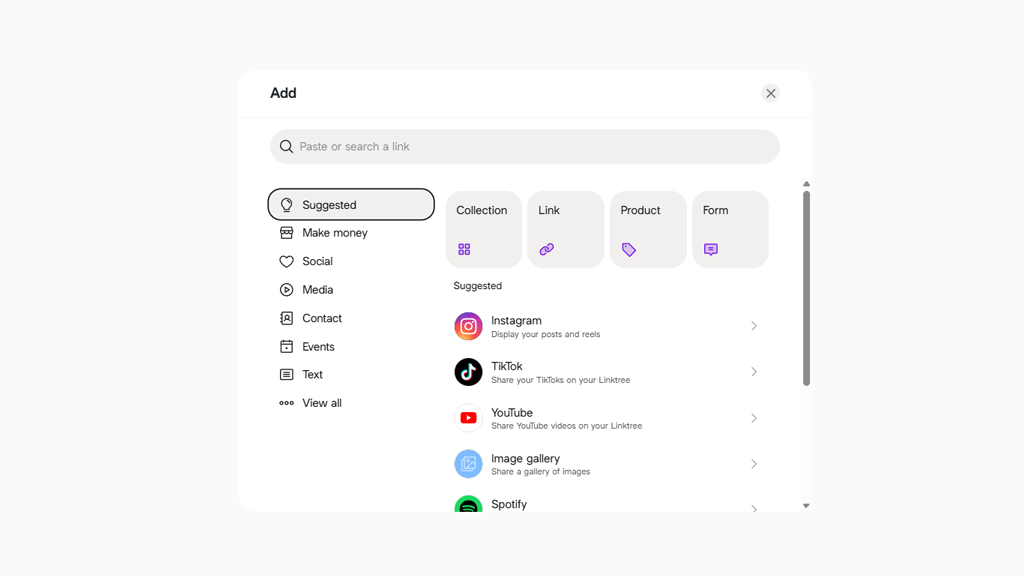
And that matters! Because a modern creator page is not just “follow me here.” It might need to:
- sell a Notion template;
- promote a new YouTube video;
- collect newsletter subscribers;
- show tour dates;
- embed a song;
- book consulting calls;
Linktree is built for that world. Bento, by contrast, was better at making content feel native to the page. Its blocks did not just say, “Click this.” They helped the page itself become part of the experience.
So the difference is: Linktree has more tools. Bento had better vibes.
That sounds unserious, but it is not. Vibes are a conversion tool. A page that feels premium, personal, or memorable can absolutely change how people perceive the person behind it.
But if you need integrations, monetization, and flexibility, Linktree has a stronger toolkit.
Analytics: Linktree wins, and it is not close
Bento was good at presentation. Linktree is better at measurement.
Linktree gives users analytics and expands historical data depending on the plan. Its paid features page says Starter includes the last 90 days of analytics, Pro includes 365 days, and Premium includes full account lifetime analytics.
That makes Linktree much more useful if you care about growth. Because at some point, “my page looks nice” has to meet “is anyone clicking the thing I need them to click?”
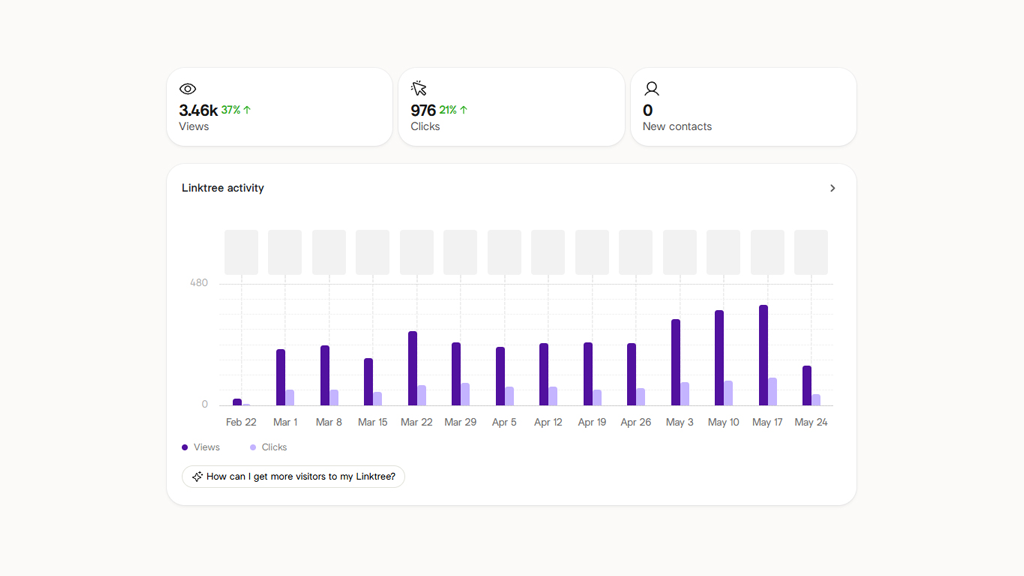
For creators, businesses, and marketers, that matters a lot. Because a beautiful page is nice, but a beautiful page that tells you what is working is better.
Monetization: Linktree is built for the creator economy machine
If Bento was the stylish gallery wall, Linktree is a checkout counter.
Linktree’s current feature set includes commerce and monetization options, including shops, sponsored links, and digital products. That makes it a better fit for creators who are not just presenting themselves, but selling something.
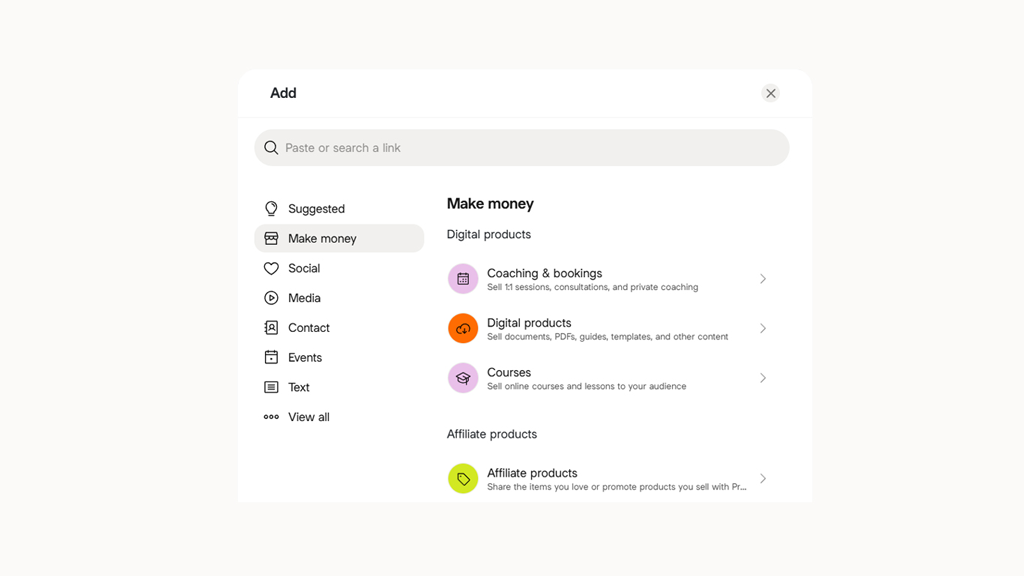
This is where Linktree’s less glamorous personality becomes an advantage. It is not trying to be a portfolio first. It is trying to help you turn attention into action.
In the creator economy, action usually means one of three things: subscribe, buy, and book. And Linktree is designed around those verbs.
Bento, on the other side, was designed around another one: look.
Both matter! But they serve different moments in the user journey.
The real issue: Linktree replaces Bento’s function, not its feeling
So, can Linktree replace Bento?
Yes. And no.
It can replace the practical function. You can put your links somewhere. You can rebuild your profile. You can add digital products, forms, videos, and social links. You can send people to all the right places.
But it cannot replace the feeling of opening a Bento page and seeing someone’s work arranged like a clean little digital moodboard.
That is why a lot of former Bento users are not sticking to Linktree and have been looking for better alternatives.
They want both Bento’s style and Linktree’s infrastructure.
And we think we found it.
Taplink is what happens when Bento and Linktree finally meet
Yes, that better alternative is Taplink.
Taplink is interesting because, unlike Linktree, it solves the actual problem all former Bento users have right now: they do not just need somewhere to put links. They need a page that still feels visual, personal, and intentional. But they also need the grown-up features Bento never really had.
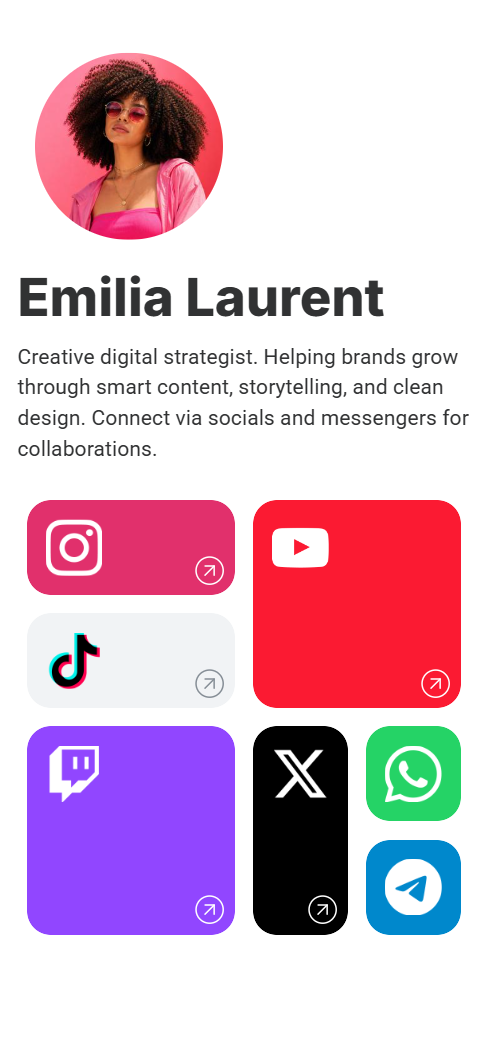
Taplink gives you the creative freedom you loved: flexible layouts, visual sections, images, custom blocks, and a page that can look more like a mini-website than a list of buttons.
But it also gives you a powerful modern business toolkit: forms, digital products, payments, integrations, QR codes, custom domains, and more.
Bento had the look. Linktree has the features. Taplink gives you both.
Design
People loved Bento because it made a link-in-bio page feel arranged. You could make one thing feel important, and another feel secondary. You could show your content without turning the page into a stack of identical rectangles.
Taplink gets closer to that feeling than Linktree because it is not locked into the classic “button, button, button” format. Its Custom Block with a built-in graphic editor lets you create blocks that feel more like Bento cards than ordinary link buttons.
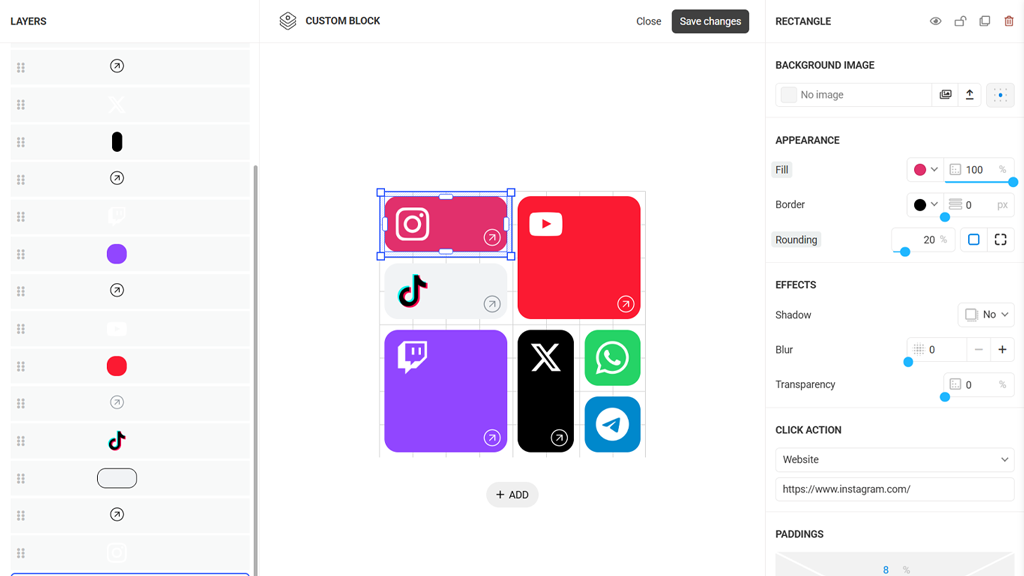
And of course, you can also customize backgrounds, colors, fonts, buttons, layouts, shapes, borders, shadows, animations, and more.
It also helps you get there faster. Taplink has 100+ pre-designed templates for different niches, so you do not have to start from a blank page and manually build the whole layout yourself.
And if you want an even faster start, there is an AI builder that can generate a page from a short description of your business or project.
So instead of spending an afternoon trying to recreate the Bento feeling from scratch, you can start with a structure that already looks polished, then customize it until it feels like yours.
Content
Bento’s presentation was great, but its toolkit was limited.
Taplink gives you the basics Bento users expect:
- Links
- Text
- Images
- Video
- Music
- Maps
But then adds the business and conversion blocks that make a page more useful:
- Forms
- Digital products
- Countdown timers
- Price lists
- Pricing plans
- FAQs
- and more.
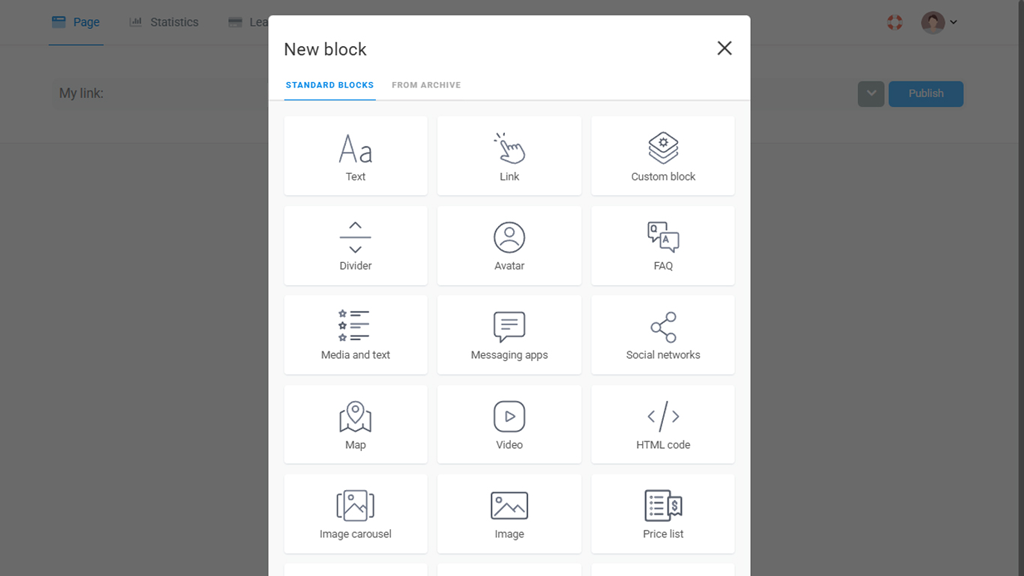
That is where Taplink starts to feel less like a Bento replacement and more like a Bento upgrade.
Analytics
A beautiful page is great. But if you are using it for business, marketing, or growth, you eventually need to know what is happening.
Taplink includes statistics for views and clicks, so instead of guessing whether your page works, you can see what people open, click, and respond to. On top of the built-in analytics, you can also connect Google Analytics to get even more data from your page.
And this is exactly what Bento was missing! Bento made the page look good. Taplink helps you understand whether the page is working.
So, is Taplink the best Bento alternative?
For most former Bento users, yes.
Because the real replacement for Bento should not simply be “a place where your links still work.” That is the bare minimum.
A real Bento alternative needs to preserve what made Bento special: visual hierarchy, creative layouts, personality, and the feeling that your page is more than a list.
But it also needs to fix what Bento was missing: templates, deeper customization, analytics, forms, monetization, integrations, QR codes, custom domains, multiple pages, and business tools.
Taplink checks both boxes.
Functionality comparison: Bento.me vs Linktree vs Taplink
| Features | Bento.me | Linktree | Taplink |
|---|---|---|---|
| Visual content blocks | ✅ | Partial | ✅ |
| Flexible page layout | ✅ | ❌ | ✅ |
| Portfolio-style presentation | ✅ | ❌ | ✅ |
| Videos and media embeds | ✅ | ✅ | ✅ |
| Social links | ✅ | ✅ | ✅ |
| Forms and lead capture | ❌ | ✅ | ✅ |
| Payments | ❌ | ✅ | ✅ |
| Digital products | ❌ | ✅ | ✅ |
| Bookings and appointments | ❌ | ✅ | ✅ |
| Marketing integrations | ❌ | ✅ | ✅ |
| Built-in analytics | ❌ | ✅ | ✅ |
| Google Analytics connection | ❌ | ✅ | ✅ |
| Templates | ❌ | ✅ | ✅ |
| AI page builder | ❌ | ❌ | ✅ |
| Custom blocks | ❌ | ❌ | ✅ |
| Custom domain | ❌ | ❌ | ✅ |
| QR codes | ❌ | ❌ | ✅ |
| Multi-page mini website | ❌ | ❌ | ✅ |
Final verdict: It’s not Bento.me vs Linktree anymore
For former Bento users, the goal was never just to make a page that works. It was to make a page that feels like something. Bento gave people a little visual home for their work, projects, personalities, and many internet identities.
Linktree can replace the links. But Taplink can replace the experience. That is what makes it a stronger alternative after Bento’s shutdown.
It keeps the creative freedom, visual structure, and personal feeling that made Bento so appealing. Still, it adds the things Bento was missing: templates, deeper customization, forms, analytics, payments, digital products, integrations, custom domains, QR codes, and multi-page mini websites.
So the choice is pretty simple.
Choose Linktree if you want the most obvious fallback.
Choose Taplink if you want the thing Bento users were probably looking for all along: a page that looks good, works hard, and does not force you to choose between style and features.